GD4 μWXHB
μWXHB reads as "micro double cross hot bar"
— TLDR
Built a controller system which supports up to 28 unique actions - is editable at runtime - and has haptic, audio and visual feedback.
Play it with your own controller on itch.io !
https://ryc-games.itch.io/micro-wxhbThis web version doesn't include controller vibration or 2D GPU particles as featured in the videos below.
— Game system
This control scheme is a simplified version of what's available in FFXIV - a MMO released in 2013 on PS3 and PC by Square Enix . It comes packed in a Godot 4 scene which lets you bind actions to buttons at runtime and try out various configurations. This article is pretty nerdy so, let's not waste time in preambles. 🐸
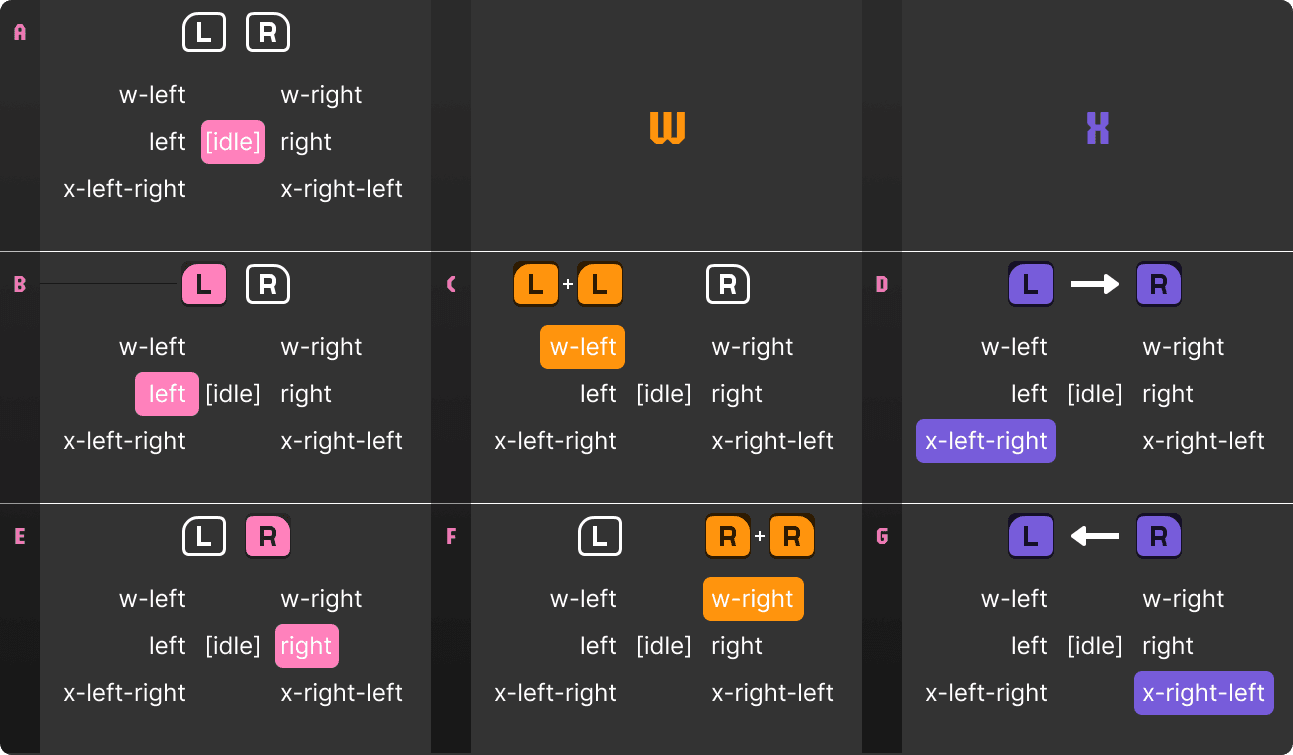
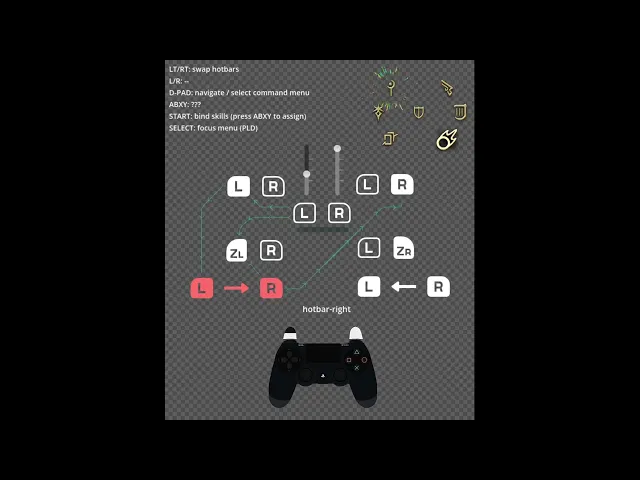
#WXHB manifesto 1.0
(only 1 hotbar active at once)
press one or two triggers to swap hotbars - optional
This system is flexible enough to fit many UI and UX compositions - some of which are show-cased in this scene: wheel, lists, front-plate, text menu. It can also be used as a complementary menu for quick-access with d-pad - think items, gear, emotes, spellbook, etc.
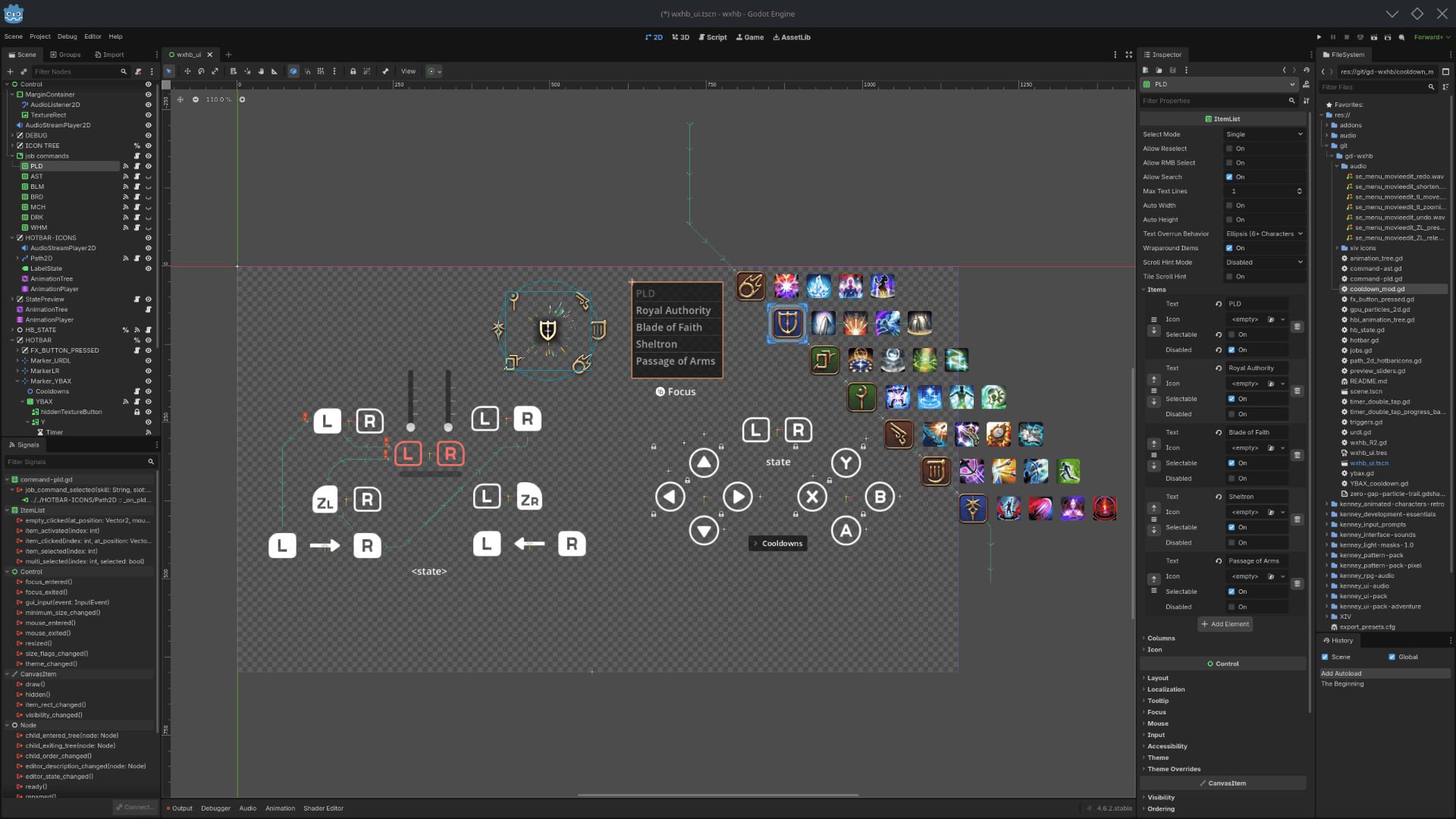
The core WXHB logic and features were developed using a mix of GDScript, FSMs, Tweens and signals, as we'll see below, the code is available on gitlab [1]
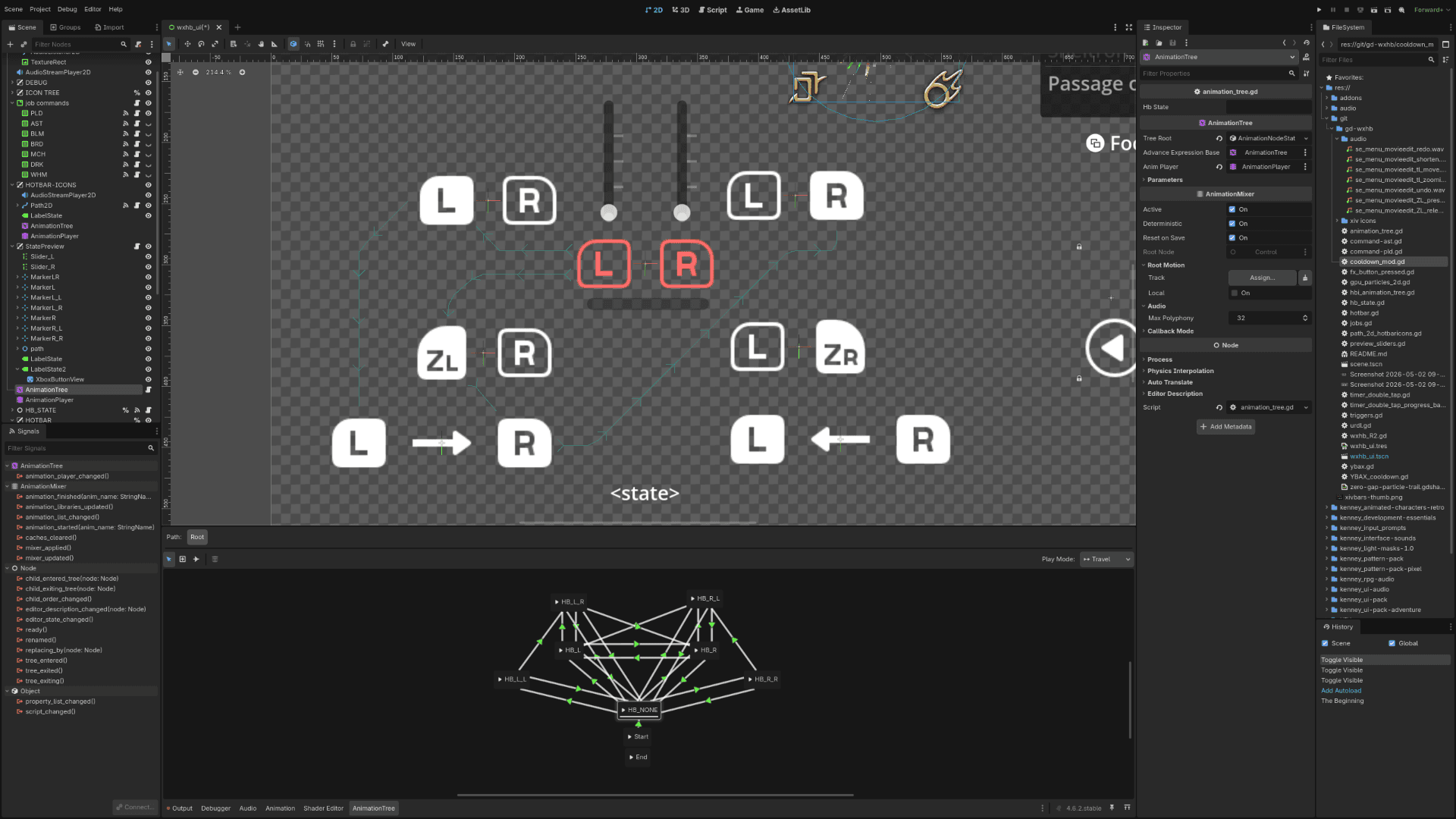
FSMs (Finite State Machine) helped map hotbar states onto a graph, play unique sfx/vfx for individual hotbars, and emit custom events to communicate with other systems. Another FSM was added solely for the "bind" flow, and relies on events coming from this one, more on that below.
— Idle hotbar, cooldown timers, command menus
This system basically divides 28 actions into 7 hotbars. The default "idle" hotbar will capture input when no trigger is pressed. Gameplay-wise, I would recommend having common actions on this hotbar: eg. interact, jump, cancel, etc
All buttons have a unique CD (cooldown) timer, radial progress indicator, vfx, signals, and sprites for each state. Keep in mind that in some scenarios, CDs should be associated to their actions instead of their button.
After a button is pressed, it will be disabled until its timer expires, and display a visual indicator of the duration remaining before it is available to press again - this is really helpful in all sorts of situations where actions cannot not be spammed and you need players to acknowledge it.
Alternatively in this demo, you can also reach and execute actions with the command menu. Use D-pad UP and DOWN to navigate actions, and validate with D-pad RIGHT - the skill's icon will flash 3 times, and other memorized commands will flash once.
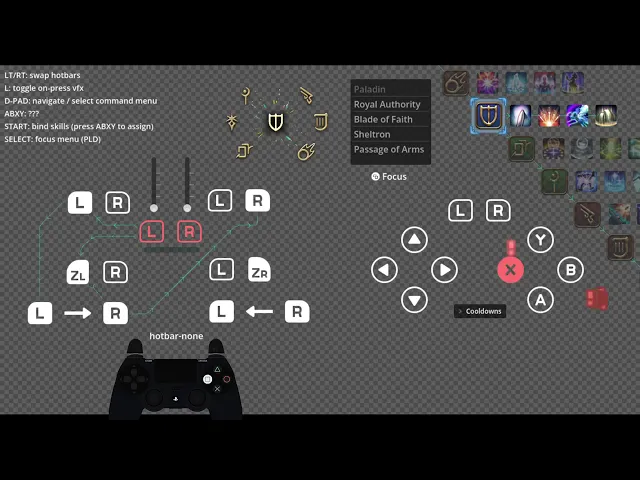
A unique placeholder VFX was added for each button and directional arrow - they were first drafted as falling text for combat values like blocked-dodged-critical hits but I had much more fun coding visual flatulences and whatnot.
#WXHB manifesto 1.1
(only 1 hotbar active at once)
press one or two triggers to swap to another hotbar - optional
[new] use D-pad for command menu
[new] set cooldown timers on ABXY - optional
— Spatial audio cues, dynamic binding
I used the AnimationPlayer node to compose FX blending motion, audio, vibration, color, light and scale - some of which were hand-scripted with tweens, some use keyframes, easing and interpolation.
Each hotbar has a unique sound effect to help players remember which one is active - idle, left and right sides are clearly distinct, double and cross hotbars also have additional unique sfx mixed in - and all of them are located in 2D world space - center, left, right, top corners for double hotbars and bottom corners for cross hotbars.
The AudioListener2D node is moved as SFX is played to create a feeling of space.
After animating the front plates and the state preview, I was able to build the icon hotbars along with their "bind" flow very fast. Most of the hard-work was spent on rigging relevant UI node properties into the animation library, but the animation and state logic were centralized into a parent "collection" node which made accessing and manipulating everything inside pretty trivial.
This collection uses a 2DPath node to position hotbars on their respective progress ratio, which makes visual customization a matter of editing a few % values on a vector curve. It also uses signals and timers to call its own methods - this was relevant to play some VFX for events coming from the command menu.
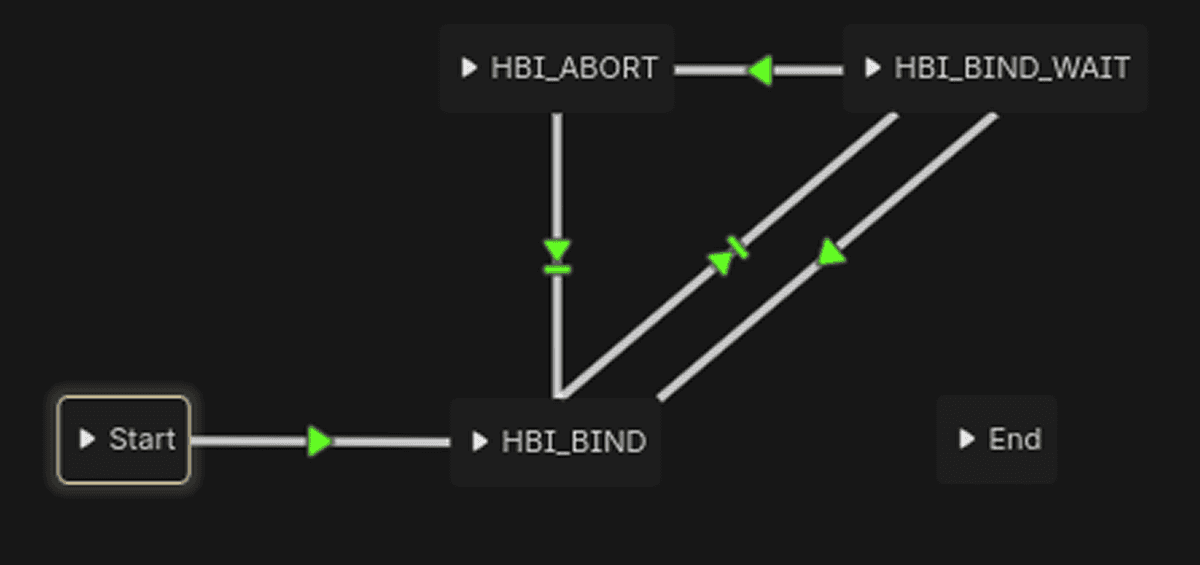
The flow itself is relatively simple: press a button to assign it to the action under the cursor, 4 actions per hotbar. If you swap hotbars during the process, the flow will reset and abort silently.
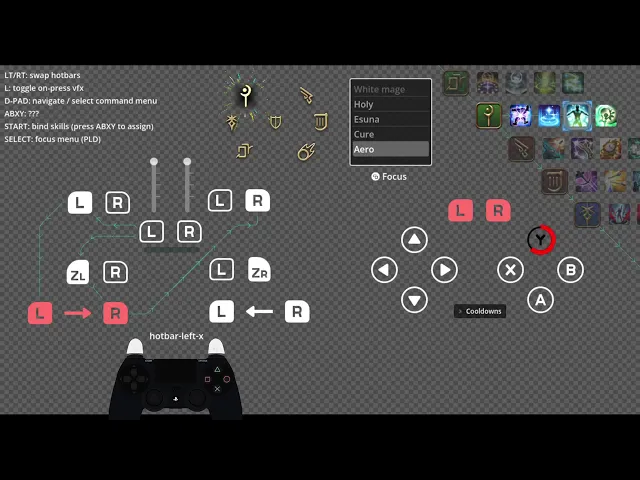
In this capture, the White mage's spells are cast via command, then bound to the front plate buttons in the order below, then cast using said buttons.
Holy -> X
Esuna -> Y
Cure -> A
Aero -> B
During the binding flow, if you press the same button multiple times, the controller will vibrate and play a different audio cue to indicate that something went wrong.
#WXHB manifesto 1.2
(only 1 hotbar active at once)
press one or two triggers to swap to another hotbar - optional
use D-pad for command menu
[new] press ABXY to bind or use actions
[new] press Start to bind actions
set cooldown timers on ABXY - optional
Thank you for reading 🐸!
— Links
[1] https://gitlab.com/DrDyne/gd-wxhb — my source code
[ ] https://www.akhmorning.com/resources/controller-guide/the-cross-hotbar/#what-is-the-cross-hotbar — original system fully explained, including accessibility options.
[ ] https://ffxiv.gamerescape.com/wiki/Paladin — icons for jobs, skills, spells
[ ] https://kenney.nl/ — misc 2D assets
date published
May 1, 2026
reading time
7 min read